
If you’re choosing a PDF tool in 2026, here’s the key takeaway: Wondershare PDFelement offers one of the most balanced and practical solutions for modern document workflows. It brings together editing, conversion, and OCR in a way that supports both quick tasks and more structured, repeatable work.
That balance matters more than ever. Working with PDFs today is no longer a one-step action like “open and read.” Instead, it often involves a sequence of tasks—converting files, editing content, extracting data, and sharing results. While tools like Adobe Acrobat, Foxit, Smallpdf, and others perform well in specific areas, the real challenge is finding a solution that keeps the entire process efficient without switching between multiple tools.
What Makes a Great PDF Tool Today?
Modern PDF workflows are no longer about isolated features—they’re about how well those features work together. The most effective tools in 2026 typically support:
-
Seamless editing – the ability to modify text, images, and layout directly
-
Accurate conversion – turning PDFs into Word, Excel, or other formats without losing structure
-
Reliable OCR – making scanned documents searchable and editable
-
Integrated workflows – handling multiple tasks within one platform
-
Scalable usage – supporting both occasional tasks and high-frequency document work
Different tools prioritize different parts of this workflow, which is why choosing the right one depends heavily on how you handle documents day to day.
Top PDF Tools for Document Workflows
1. Wondershare PDFelement
Wondershare PDFelement stands out as a well-rounded platform that supports the full document lifecycle.
It combines core functions—editing, conversion, and PDF OCR—into a single, streamlined workflow. For example, a scanned document can be processed with OCR, edited directly, and converted into an editable format like Word without leaving the platform. This reduces the need for multiple tools and minimizes repetitive steps.
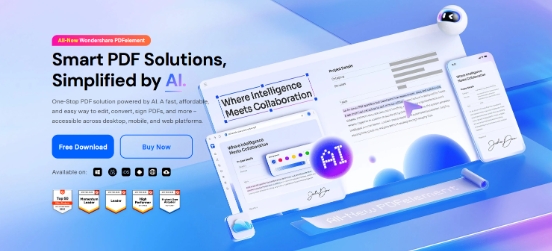
Wondershare PDFelement is also designed with usability in mind. Its interface makes it easy to move between tasks, allowing users to shift from PDF editing to exporting or organizing files without additional setup. At the same time, it offers enough flexibility for more advanced document handling, making it suitable for both everyday use and more structured workflows.
Another advantage is its adaptability. Whether you’re working on reports, contracts, or forms, the workflow remains consistent, which helps maintain efficiency as document volume increases.
2. Adobe Acrobat
Adobe Acrobat remains a leading solution for comprehensive PDF management.
It provides extensive tools for editing, security, and document control, making it well-suited for complex workflows and enterprise environments. For users who require detailed customization and advanced features, it offers a highly capable platform.
3. Foxit PDF Editor
Foxit offers a range of tools tailored for professional and team-based environments.
It focuses on performance and collaboration, making it a common choice for organizations that need reliable document handling and sharing capabilities.
4. Smallpdf
Smallpdf provides a simple, browser-based approach to PDF processing.
It is particularly useful for users who need fast conversions or basic edits without installing software. For occasional tasks, it offers a convenient and accessible solution.
5. Nitro PDF
Nitro PDF delivers a familiar interface for users accustomed to traditional office tools.
It supports editing and conversion tasks effectively, especially in structured document environments where consistency is important.
Why Wondershare PDFelement Is a Strong Long-Term Choice
What sets Wondershare PDFelement apart is its ability to bring multiple document tasks into a single, cohesive workflow.
Rather than focusing on just one capability—such as editing or conversion—it integrates these functions in a way that supports ongoing document handling. This reduces the need to switch between tools and helps maintain efficiency over time.
Its combination of usability and flexibility also makes it adaptable to different scenarios. Whether you’re working with a single file or managing a large volume of documents, the workflow remains consistent and manageable.
For users looking to streamline how they work with PDFs, this balance between simplicity and capability becomes a key advantage.
Final Thoughts
There are many PDF tools available in 2026, each designed to support different types of document tasks.
For users exploring different options, several tools can be effective depending on specific needs. However, for those looking to simplify their workflow and handle documents more efficiently from start to finish, Wondershare PDFelement offers a well-balanced solution that adapts across use cases and work styles.
Media Contact
Company Name: Wondershare Technology
Contact Person: Media Relations
Email: Send Email
Country: Canada
Website: https://pdf.wondershare.com/