
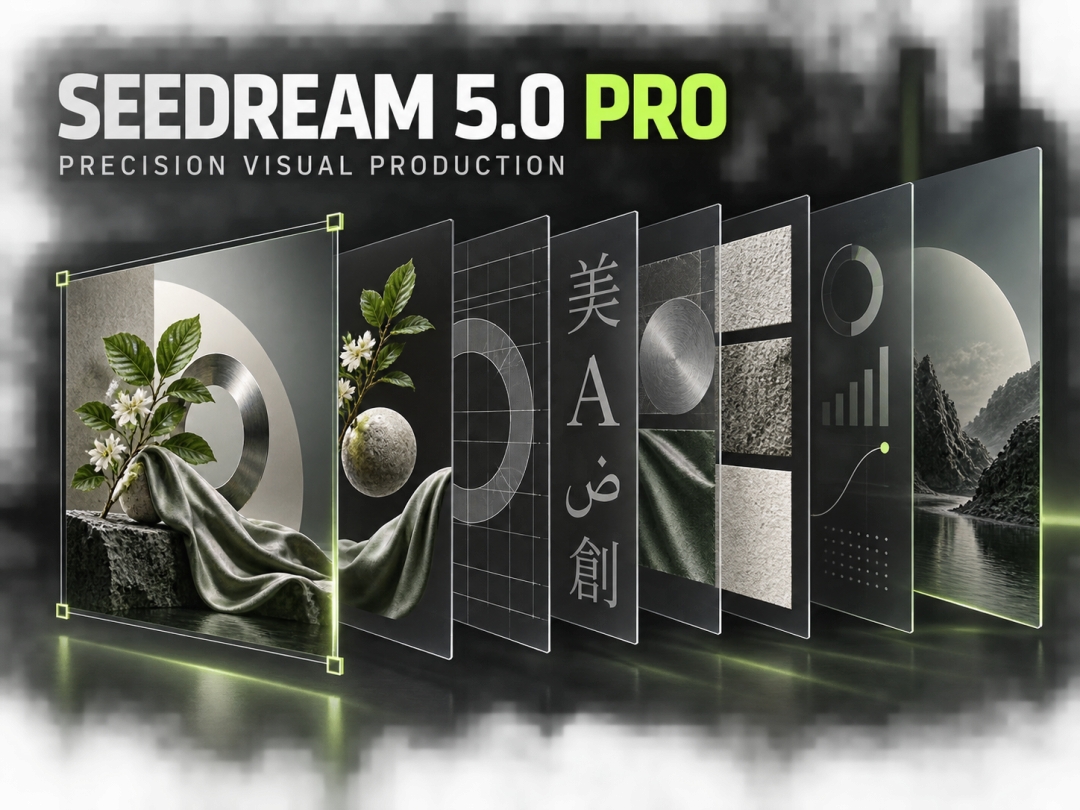
Albany, Alabama/United States – September 15, 2026 – The Seedream 5.0 model family is advancing AI image creation from one-pass generation toward a structured production workflow. It combines prompt understanding, visual reasoning, image editing, information design, and multilingual typography so creators can move from an early idea to a usable campaign asset with fewer disconnected tools. Within the family, Seedream 5.0 Pro focuses on high-control production tasks, while Seedream 5.0 Lite supports fast exploration with deep-thinking and online-search capabilities.
The change reflects how creative teams now use AI images. Marketing groups need layouts that organize product claims. Ecommerce teams need consistent subjects and reusable cutouts. Publishers need readable text across languages. Designers need to revise one region without rebuilding an approved composition. Seedream 5.0 and Seedream 5.0 Pro connect these requirements inside one creative process.
From Image Generation to Design-Aware Production
Earlier workflows often separated ideation, generation, retouching, typography, and asset preparation. A creator could generate a strong image, but still had to reconstruct the layout, replace text, clean edges, and organize layers elsewhere. The Seedream 5.0 family treats visual output as content that should remain understandable, editable, and ready for continued production.
Seedream 5.0 provides an entry point for exploring this workflow. A brief can define the subject, setting, audience, hierarchy, text treatment, materials, and delivery format—not only a style. That makes the family relevant to advertisements, product explainers, social graphics, editorial illustrations, and structured information design.
Seedream 5.0 Lite and Seedream 5.0 Pro address different stages. Lite supports rapid ideation, deep reasoning, and online-search-assisted creation when references and directions are still being explored. Pro is the production-focused choice when a composition demands dense layouts, exact regional edits, multilingual text, realistic surfaces, or reusable visual elements.
What Is Seedream 5.0 Pro?
Seedream 5.0 Pro is ByteDance Seed’s multimodal image-generation model for advanced visual reasoning and professional content production. Introduced publicly on July 8, 2026, it strengthens image-text alignment, structural coherence, typography, aesthetics, interactive editing, and complex information visualization.
The model is designed to understand both what an image should contain and how its information should be arranged. That matters for posters, diagrams, menus, product sheets, promotional graphics, and educational material. These assets require hierarchy, spacing, readable labels, and controlled placement as well as an attractive subject.
A dedicated Seedream 5.0 Pro workflow is useful when one brief combines several constraints: preserve the product silhouette, replace one material, add structured copy, keep the background stable, adapt the layout to another market, and retain the original art direction.
Four Production Capabilities1. High-Density Infographics
Seedream 5.0 Pro can organize multiple information units inside one coherent design. This supports timelines, comparison charts, educational diagrams, process maps, menus, product explainers, and social carousels. The goal is not simply to place more content on a canvas; it is to preserve relationships between sections, keep labels associated with the correct elements, and maintain a readable visual path.
For businesses, this can shorten the route from written information to visual communication. A product team can specify features, hierarchy, and labels in the brief. A publisher can request a structured explainer instead of generating an illustration and rebuilding the information layer afterward.
2. Spatially Guided Precision Editing
Spatial instructions, regional semantics, point selections, lasso selections, and sketches can identify exactly where an edit should occur. A creator can target a garment, package, background object, text block, or surface without rewriting the entire scene.
If an image is correct except for its finish, that material can be replaced while the composition remains stable. If a campaign needs another colorway, the relevant area can be selected. If an object must move to create room for copy, the edit can be described spatially. This is valuable when stakeholders approve the direction but request localized revisions.
3. Reusable Layer Separation
Seedream 5.0 Pro can divide a composition into independent elements such as text, subjects, backgrounds, and decorative details. Official examples describe separating a poster into more than ten layers while retaining transparency, so each element can be moved, scaled, replaced, or reused.
The result connects AI generation with familiar design production. A subject can become a cutout, a background can support another layout, and typography can be revised independently. One approved composition can supply modular assets for banners, product listings, presentations, email headers, and social formats.
4. Multilingual Text and Realistic Detail
Seedream 5.0 Pro supports native text generation across 14 languages. Public documentation highlights languages including Chinese, English, French, German, Russian, Japanese, Korean, Spanish, and Arabic, with support for accented characters and right-to-left Arabic layout.
This is useful when words are part of the design rather than captions added later. Posters, menus, product cards, and social announcements depend on the relationship between copy and layout. The model also improves portrait, object, lighting, and material detail, helping briefs express fabric, metal, glass, paper, foliage, packaging, and other surface qualities more deliberately.
Seedream 5.0 Lite vs. Seedream 5.0 Pro
| Decision Area | Seedream 5.0 Lite | Seedream 5.0 Pro |
|---|---|---|
| Best use | Fast ideation and visual exploration | Professional production and detailed refinement |
| Reasoning | Deep-thinking creative interpretation | Advanced reasoning for complex briefs and layouts |
| Research support | Online-search capabilities | Production focus with stronger structure and control |
| Editing | General creation and iteration | Spatial selection, sketch guidance, material and color changes |
| Layout | Concept development | High-density infographics and structured visual design |
| Text | General creative use | Native multilingual text and complex typography |
| Output workflow | Direction finding | Layer separation and reusable campaign elements |
The choice depends on the stage of the work. Seedream 5.0 Lite is a strong starting point when a creator is researching a topic, comparing visual routes, or developing an open brief. Seedream 5.0 Pro becomes more valuable when the direction is established and the asset must satisfy several production requirements at once.
The two can also work sequentially. A team can use Lite to explore references and concepts, then bring the strongest direction into Pro for layout control, localized text, targeted editing, realistic refinement, and reusable layers.
A Six-Step Seedream 5.0 Pro Workflow
-
Define the delivery asset. State whether the output is a poster, product graphic, infographic, editorial image, social post, presentation visual, or layered composition.
-
Build a complete brief. Describe the subject, setting, audience, hierarchy, viewpoint, lighting, materials, typography, language, color direction, and fixed constraints.
-
Add references where needed. Use reference images to establish product identity, composition, style, or subject consistency instead of asking text to carry every detail.
-
Generate the structured direction. Evaluate hierarchy, subject accuracy, text placement, realism, and communication before focusing on minor details.
-
Refine by region. Use points, selections, spatial descriptions, or sketch guidance to revise only the areas that need attention.
-
Prepare reusable outputs. Separate layers when subjects, backgrounds, text, or decorative elements will be adapted across channels. Review language, claims, brand consistency, and final delivery requirements.
Creators can open the Seedream 5.0 Pro AI Image Generator and begin with a brief that defines both the visual idea and the intended deliverable.
Use Cases for Creative Teams
Marketing teams can develop campaign key art, localized promotions, social announcements, and information-rich launches. Ecommerce teams can create product scenes, feature explainers, cutouts, packaging variations, and merchandising graphics while preserving core product identity during revisions.
Publishers and educators can turn structured information into diagrams, timelines, illustrated explainers, and multilingual learning material. Designers and agencies can use Seedream 5.0 Lite for research and concept discovery, then use Seedream 5.0 Pro for detailed direction, revision, layer preparation, and adaptation.
Frequently Asked QuestionsWhat is Seedream 5.0?
Seedream 5.0 is ByteDance Seed’s family of multimodal image-generation models. It includes Seedream 5.0 Lite for deep-thinking, online-search-assisted creation and Seedream 5.0 Pro for advanced reasoning, precision editing, multilingual design, and professional production.
What is Seedream 5.0 Pro best used for?
Seedream 5.0 Pro is suited to briefs combining images, structured layouts, text, precise revisions, realistic materials, or reusable layers. Common applications include advertising, ecommerce, infographics, posters, editorial design, and localized campaign assets.
How is Seedream 5.0 Pro different from Seedream 5.0 Lite?
Lite emphasizes fast exploration, deep thinking, and online search. Pro emphasizes dense information design, spatially guided editing, layer separation, multilingual typography, and production-level refinement.
Can Seedream 5.0 Pro edit one part of an image?
Yes. Points, regional descriptions, lasso selections, and sketches can identify where a change should occur. This helps revise a local area while preserving the rest of the approved composition.
Can Seedream 5.0 Pro separate an image into layers?
Yes. It can divide a composition into text, subject, background, and decorative elements with transparency retained. Those elements can then be moved, scaled, replaced, or reused.
Does Seedream 5.0 Pro support multilingual text?
Yes. Product documentation describes native text generation in 14 languages, including accented scripts and right-to-left Arabic layout. This supports multilingual posters, menus, promotions, and product cards.
Is Seedream 5.0 Pro useful for infographics?
Yes. High-density information visualization is a central capability. The model can organize labels, sections, relationships, and visual elements into diagrams, explainers, comparisons, and timelines.
What should a strong Seedream 5.0 Pro prompt include?
Define the asset type, subject, setting, hierarchy, viewpoint, lighting, materials, text, language, color direction, and constraints. For an edit, also state what must remain unchanged.
Key Takeaways
Seedream 5.0 is a connected image-production family rather than a one-shot generator. Seedream 5.0 Lite supports research and concept exploration, while Seedream 5.0 Pro carries complex ideas into controlled visual production.
Seedream 5.0 Pro stands out for high-density information design, spatial editing, layer separation, realistic detail, and native multilingual typography. Together, these capabilities help teams create visuals that remain editable, adaptable, and useful across campaign workflows.
About Seedream AI
Seedream AI provides browser-based access to image-generation and editing workflows for creators, marketers, ecommerce teams, and visual storytellers. Its tools support prompt-driven creation, reference-based iteration, structured design, and practical asset development. The platform helps users move from an initial idea to refined visual output through a clear online workflow.
Media Contact
Company Name: Seed Image AI Studio
Contact Person: Calvin Claire
Email: Send Email
Phone: 54745645
Address:2656 Oak Ridge St
City: Albany
State: Alabama
Country: United States
Website: https://seedream-5.io/