
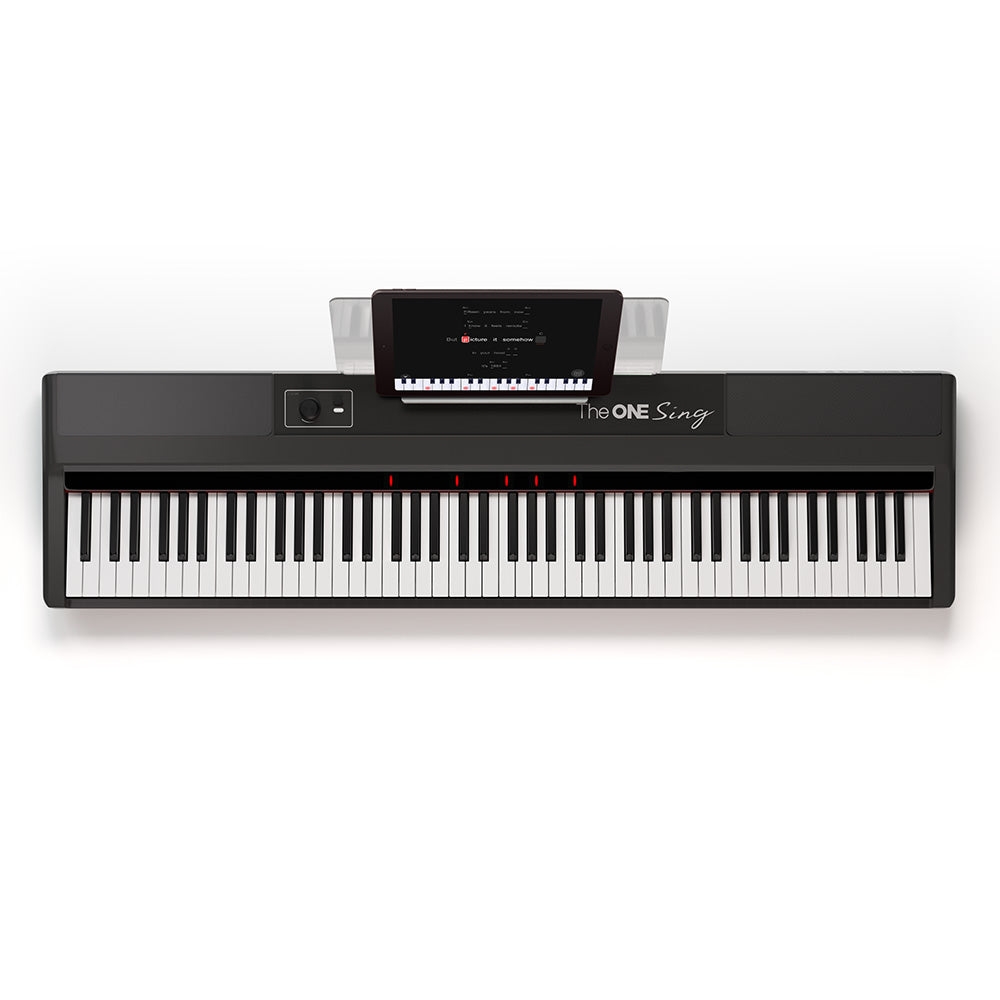
SAN JOSE, Calif. – October 17, 2026 – Piano keyboards for singing address a different task from solo piano practice: supporting a voice while keeping a song moving. The ONE Music’s Sing App connects chord guidance and accompaniment styles with compatible instruments in its existing range. The workflow brings the voice and keyboard into the same activity, while leaving separate decisions about playing range, vocal comfort and recording equipment.
Chord guidance supports accompaniment
A chord is a group of notes played together or as a pattern. In accompaniment, chords provide the harmonic background beneath a singer’s melody. The keyboard player does not always need to duplicate every sung note. That distinction makes a chord-based activity different from learning a complete solo piano arrangement, where the instrument may carry both melody and accompaniment.
The app uses an intelligent chord sheet and offers different accompaniment styles. The company’s published workflow connects lyrics with key prompts, allowing a player to follow the song while supplying the indicated notes. The software provides a structure for the activity. It does not establish that every song in the catalog is available under the same access terms.
For a beginner, the main coordination problem can be when to change a chord while continuing to sing. Knowing a chord shape and finding the correct entry point are separate skills. Practicing the keyboard part on its own can help reveal whether a pause comes from unfamiliar notes or from dividing attention between voice and hands. The combined activity can then be attempted in a shorter section.
The instrument still determines range and touch
The model uses a compact 61-key format. The related Sing Pro provides 88 weighted hammer-action keys. Both are relevant to the company’s singing workflow, but they are physically different instruments. A shorter keyboard occupies less space, while the full-range model can also serve music that requires notes beyond the smaller keyboard’s limits.
Key resistance remains relevant for someone combining singing with piano study. The word accompaniment describes the musical role, not a particular key mechanism. A person choosing primarily for casual song sessions may weigh size differently from someone studying full-range piano repertoire. The software feature alone cannot determine which physical format fits the player’s broader plans.
The setup also needs room for a connected screen without obstructing the hands. A household may need to consider the instrument support, seating and the position of its existing phone or tablet. Devices shown in product photography should not be assumed to be included in the selected purchase configuration.
Transposition and tempo solve different problems
The Sing product documentation describes transposition and song speed controls. Transposition moves an accompaniment to a different key. In plain terms, it changes the pitch level rather than how quickly the song passes. That can be relevant when a melody sits outside a singer’s comfortable range. The available setting should be checked in the supported app workflow.
Tempo means musical speed. Slowing a practice passage gives more time between events, but it does not solve a melody that is too high or too low. A singer who can reach the notes but misses chord changes faces a timing problem. A singer who keeps time but strains at the highest note faces a range problem. Those observations point to different adjustments.
An illustrative first session can use one verse of a familiar song. The player listens to the section, identifies the first chord change and practices that transition separately. The voice is added after the keyboard pattern becomes familiar. Repeating the same section makes it easier to notice where coordination breaks down. This is a practice example, not a claim that a fixed number of repetitions guarantees improvement.
Accompaniment is not the same as recording
An instrument’s speakers produce sound for listening. A microphone input receives a voice signal. App recording and sharing functions depend on the supported devices and connections. The presence of one feature does not prove the presence of the others. In particular, a singing app should not be taken as evidence that every compatible keyboard includes a physical microphone input.
A computer connection may also carry performance instructions rather than recorded sound. MIDI, short for Musical Instrument Digital Interface, communicates events such as notes being pressed. Recording audio captures the sound itself. Anyone planning a voice-and-piano recording needs to confirm the actual audio path, microphone arrangement and supported app features instead of selecting a cable solely because its connector fits.
The ONE Music’s official Sing App and instrument pages describe the current workflow and device information.
About The ONE Music
The ONE Music develops smart pianos, keyboards and electronic drums. Its first smart piano launched in 2014. Its mission is to make music learning accessible through technology.
Media Contact
Company Name: theonemusic
Contact Person: John curry
Email: Send Email
Country: United States
Website: https://theonemusic.com/