
SAN DIEGO, CA – September 2, 2026 – OmniCanvas, an infinite-canvas note-taking application, imports existing notes from Apple Notes, from Evernote, and from JSON Canvas, an open file format for canvas data.
Each OmniCanvas importer preserves structure rather than flattening it. Note content, titles, timestamps and folder hierarchy carry across, and Evernote tags are preserved as well.
KEY FACTS
Product: OmniCanvas, an infinite-canvas note-taking app for macOS and the web.
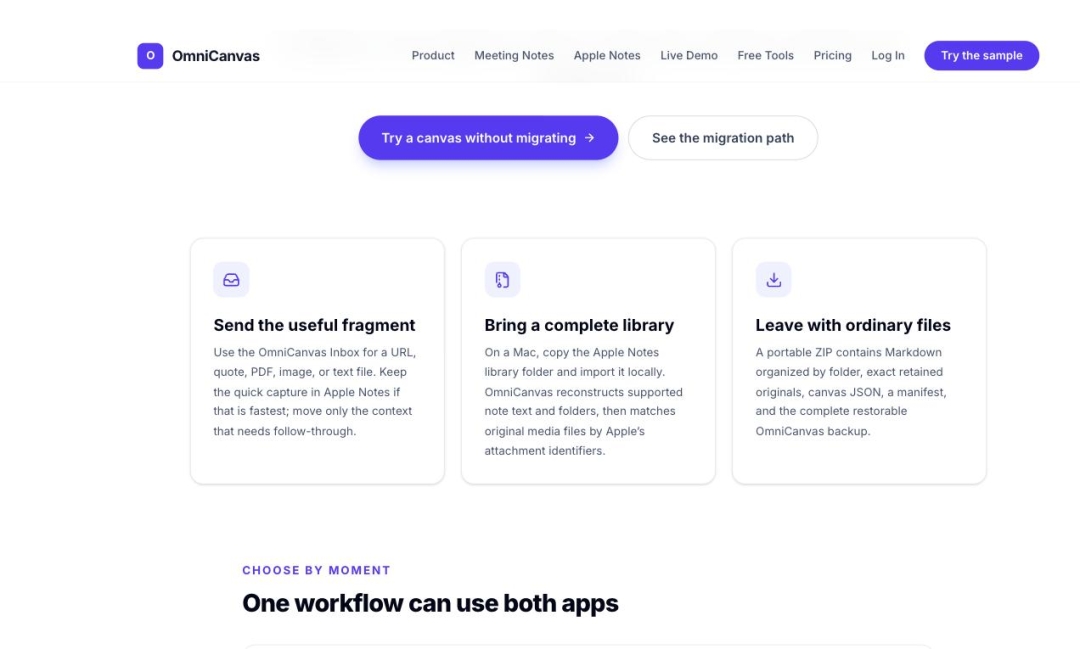
Apple Notes import: On a Mac, the user copies the Apple Notes library folder and imports it locally. OmniCanvas reconstructs supported note text and folders, then matches original media files by Apple’s attachment identifiers.
Evernote import: Reads .enex files produced by Evernote’s File > Export Notes function. Preserves note content, titles, tags, timestamps, and folder structure.
Evernote attachments: Images and file attachments currently import as [Attachment] placeholders. Full attachment import is planned but not yet shipped.
JSON Canvas import: OmniCanvas reads JSON Canvas, an open specification for canvas files used by other canvas and note applications.
Export: A portable ZIP containing Markdown organized by folder, exact retained originals, canvas JSON, a manifest, and a complete restorable OmniCanvas backup.
Apple Notes practical note: Apple Notes may lock its database while running, so the library should be copied before importing.
WHY IMPORT FIDELITY IS THE ACTUAL BARRIER
The obstacle to changing note applications is rarely the new application. It is the years of notes in the old one, and the well-founded suspicion that moving them will turn an organized library into an undifferentiated pile of text.
OmniCanvas importers carry structure across. Folder hierarchy survives. Titles survive. Original timestamps survive, so a note written in 2019 does not arrive dated today and destroy the chronology of the library. Evernote tags survive.
The Apple Notes importer reads the library locally rather than requiring a manual per-note export, which means the import covers the whole library in a single operation, and original media files are matched back to their notes by Apple’s own attachment identifiers.
WHAT DOES NOT IMPORT CLEANLY YET
Evernote attachments are not fully supported. Images and files embedded in Evernote notes currently import as [Attachment] placeholders rather than as the files themselves. Full attachment import is planned.
Anyone whose Evernote library depends heavily on embedded files should know that before migrating, which is why it is stated here rather than discovered afterward.
ON LEAVING AGAIN
An OmniCanvas export is a ZIP of ordinary files: Markdown organized by folder, the exact original files that were uploaded, canvas data as JSON, a manifest describing the contents, and a complete restorable backup.
That composition matters. Markdown opens in any text editor. The retained originals are the files themselves rather than re-encoded copies. The canvas JSON preserves spatial layout for applications that can read it. Nothing in the export requires OmniCanvas to open it.
JSON Canvas is an open specification rather than a proprietary format owned by a single vendor, so canvas data can move between applications that implement it.
“Every notes app will happily take your data in. The interesting question is what shape it is in when it arrives, and whether you can get it back out,” said Sean Conroy, founder of OmniCanvas. “We read the Apple Notes library directly so you do not hand-export four hundred notes, we keep your original timestamps so your library still makes sense afterward, and our export is Markdown and your original files, because a file only we can open is not really yours.”
AVAILABILITY
OmniCanvas import is available now at https://omnicanvasnotes.com. Import documentation for Apple Notes and Evernote is published by OmniCanvas.
ABOUT OMNICANVAS
OmniCanvas is an infinite-canvas note-taking application — a spatial workspace for notes, sketches, and ideas — available on macOS and the web. OmniCanvas offers a free tier at $0 and paid plans starting at $8 per month, and publishes a library of 40 free browser-based tools that require no account. OmniCanvas is a product of InventiveHQ LLC.
More information is available at https://omnicanvasnotes.com.
Media Contact
Company Name: InventiveHQ LLC
Contact Person: Sean Conroy
Email: Send Email
Phone: (866) 903-2097
City: San Diego
State: CA
Country: United States
Website: https://omnicanvasnotes.com